Automating Short Links: URL Shortener API and AI (MCP)
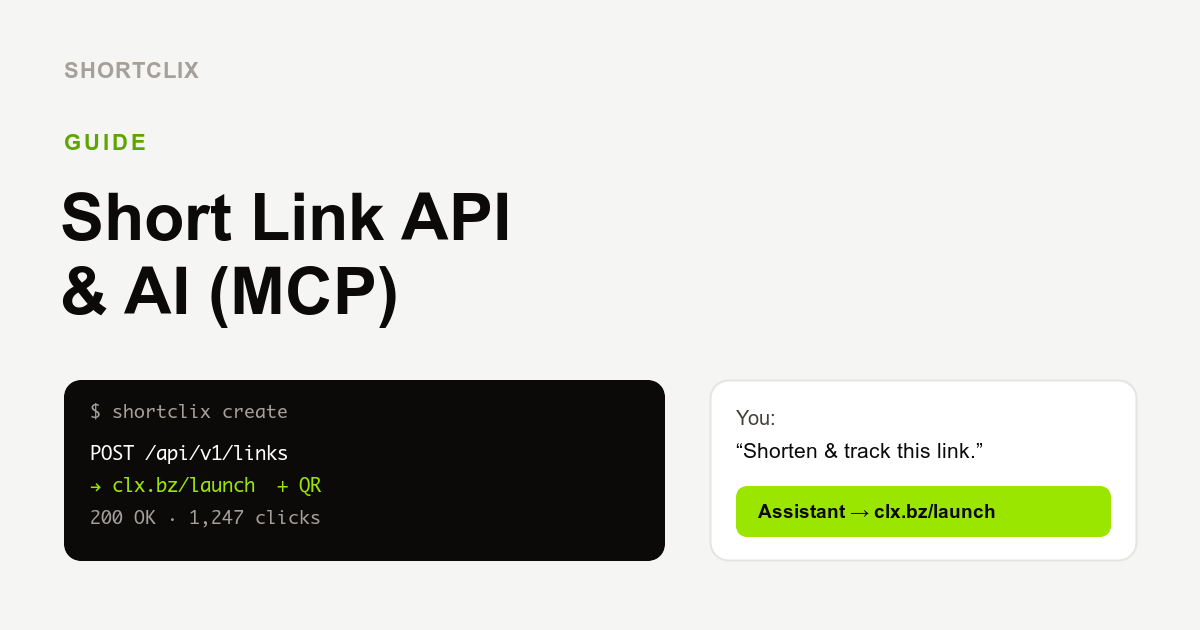
A URL shortener API lets you create, update and analyze short links automatically from your own software, while MCP lets you do the same by simply asking an AI assistant like Claude or ChatGPT. Together they turn link management from a manual chore into something that happens in the background.
What is a URL shortener API?
An API (Application Programming Interface) is a way for your systems to talk to SHORTCLIX directly. Instead of opening a dashboard, your code sends a request and gets back a ready-made short link — complete with a QR code — plus the click statistics whenever you need them. The SHORTCLIX REST API is included in the Basic and Pro plans.
What you can automate
- One link per product or campaign. Generate a tracked short link automatically whenever you publish something new.
- Newsletters at scale. Create and measure links for every send without touching a dashboard.
- Live reporting. Pull click numbers into your own tools, spreadsheets or internal dashboards.
- QR codes on demand. Get a print-ready QR code for every generated link.
Connect with no-code tools
You do not need to be a developer. Because the API is standard REST, you can wire SHORTCLIX into automation platforms like Zapier, Make and n8n. A typical recipe: “When a new product is added, create a short link and post it to our social channel.”
What is MCP, and why does it matter?
MCP (the Model Context Protocol) is an open standard that connects AI assistants to real tools. SHORTCLIX ships an MCP server, so you can manage links through plain conversation. Ask your assistant “Shorten and track this link for my summer campaign” or “How many clicks did my flyer get last week?” and it creates the link, returns the QR code, or pulls the numbers — no dashboard required. It works in Claude, ChatGPT and other MCP-capable assistants, and is available on the Basic and Pro plans.
API vs. MCP: which should you use?
- Use the API when you want reliable, repeatable automation inside your own apps and workflows.
- Use MCP when you want to create and check links conversationally, on the spot, through an AI assistant.
Many teams use both: the API for the heavy lifting, MCP for quick questions and one-off links.
Get connected
Generate an API token or connect the MCP server from your account on a Basic or Pro plan. Start free and upgrade when you are ready, or first read how URL shorteners work and how to create trackable QR codes.